
El Cuadre POS:point of sale and inventory for your business
Manage your business, all in one place.
All-in-one business management app for small and medium businesses. POS, inventory, finance and reports in a single multiplatform app.

Everything your business needs
A single app with all the tools for business management.
Point of Sale (POS)
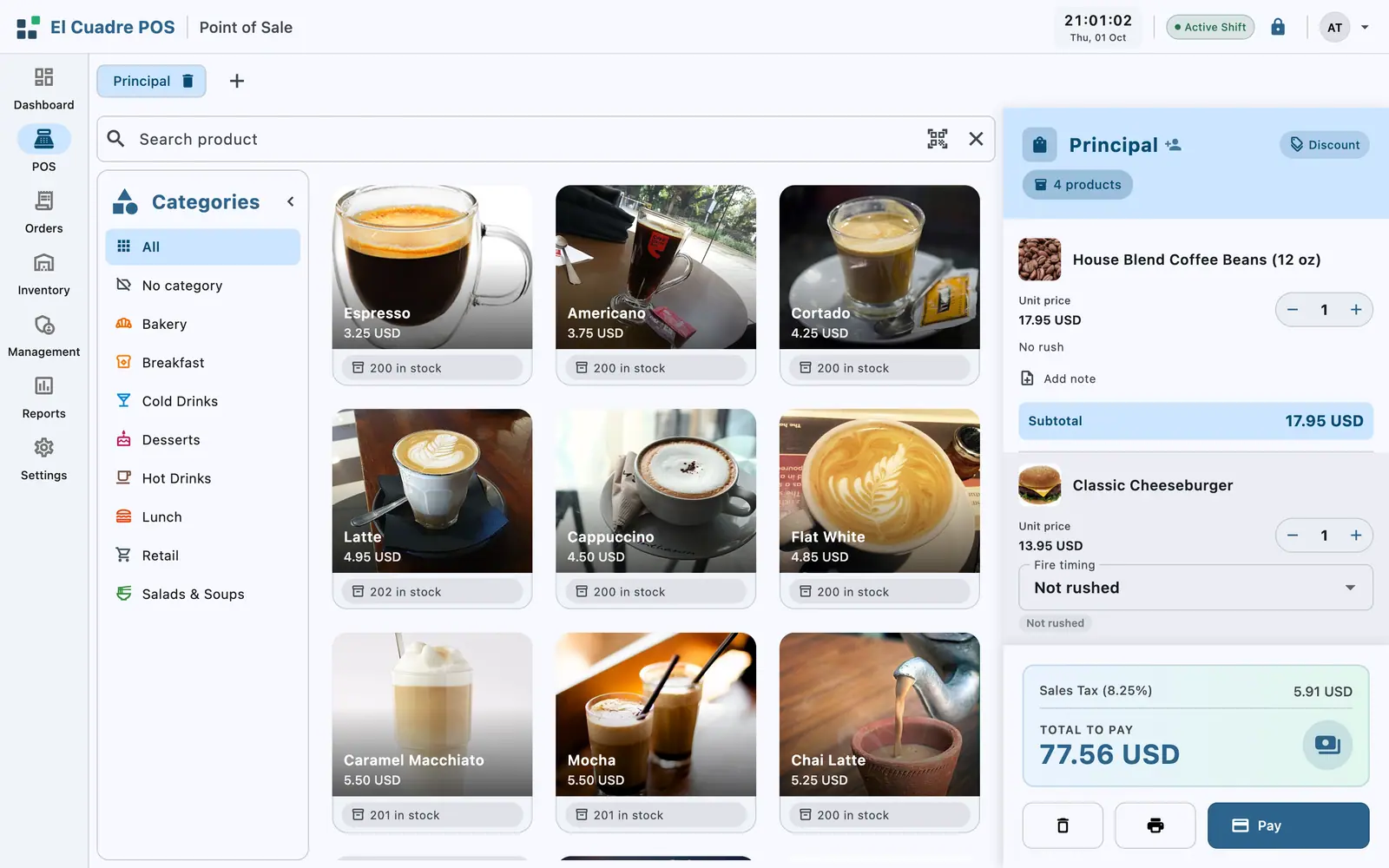
Process sales quickly with an intuitive touch interface. Supports shopping cart, discounts, returns and multiple payment methods.

Products & Inventory
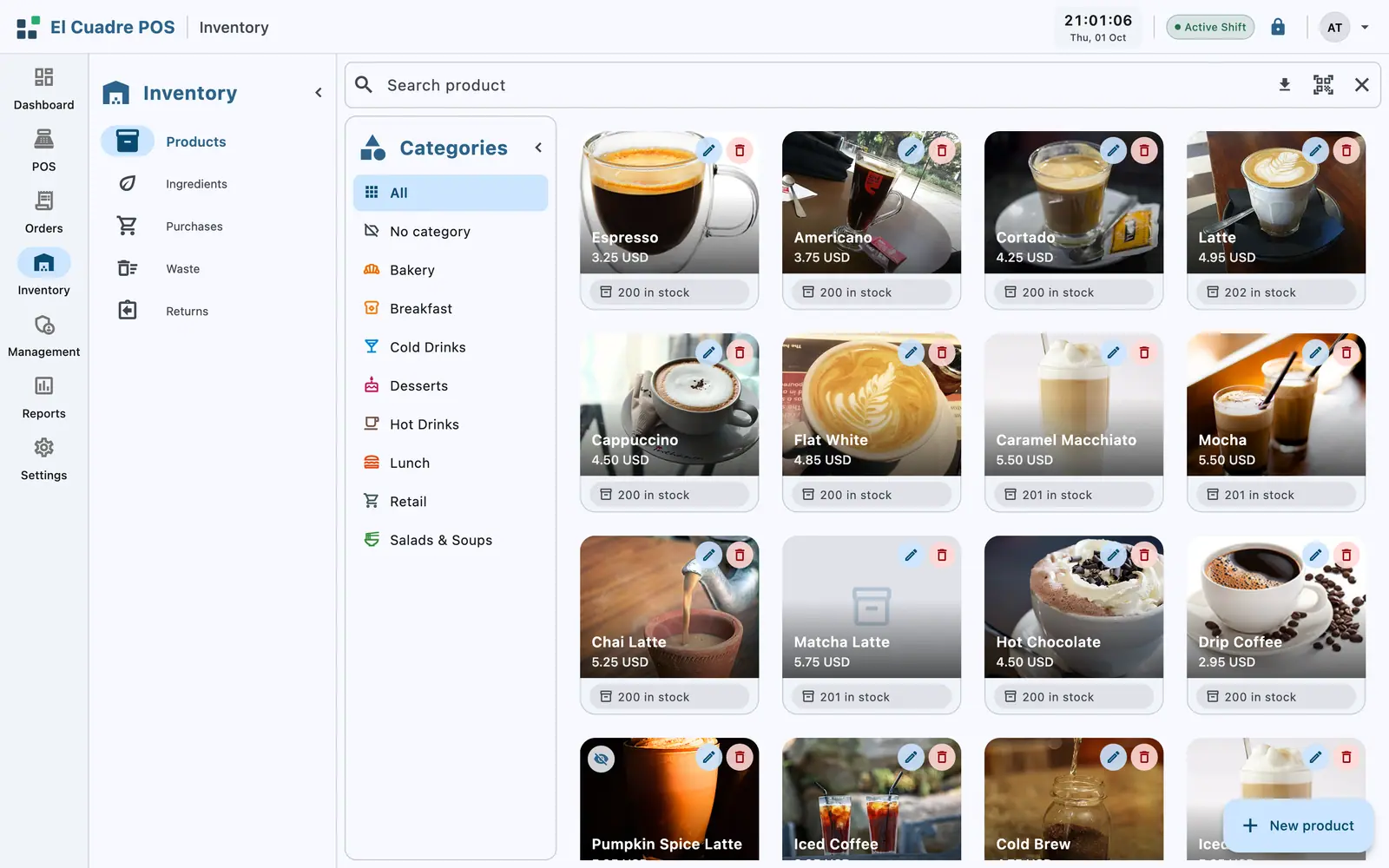
Keep a complete product catalog with real-time stock control. Low-stock alerts, categories and barcodes.

Ingredient Management
Ideal for restaurants and prepared food — manage recipes, per-portion costs and ingredient availability.

Expenses & Purchases
Record operating expenses, purchase orders and control your cash flow.

Reports & Dashboard
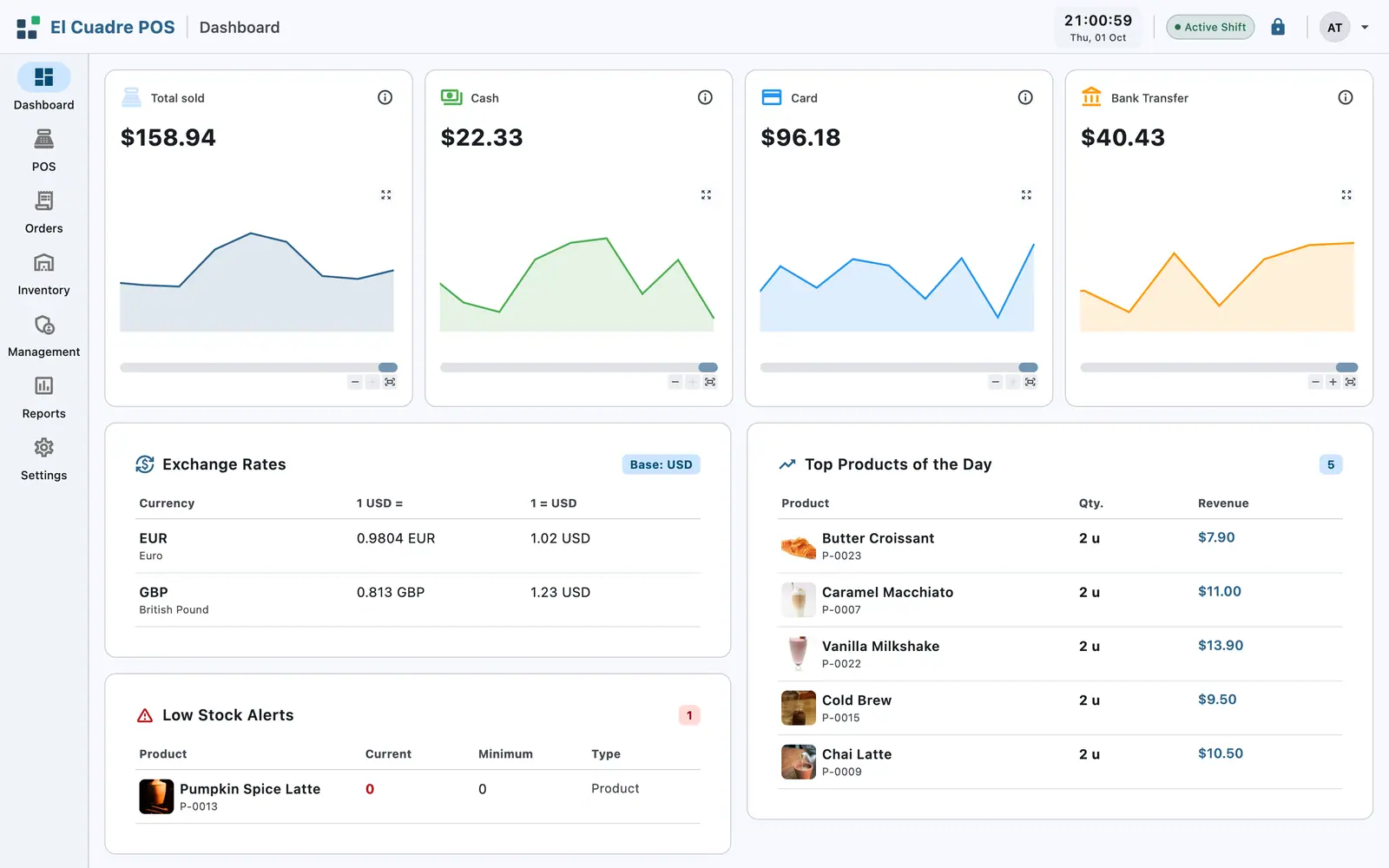
Visualize key KPIs, sales, profits and trends with interactive charts. Make data-driven decisions.

Users & Roles
Multi-user system with roles and permissions. Control who can access each feature.
Customers & Suppliers
Customer database with purchase history. Manage suppliers, purchase orders and trade relationships.
Returns
Process returns and refunds with full tracking and audit.
Working Shifts
Open and close the register per shift with accountability. Full shift history.
Multi-Currency
Supports multiple currencies with configurable exchange rates.
Local Network (LAN)
Connect clients to the server within your local subnet. No internet or external servers required.
Audit Log
Complete record of all actions for compliance and security.
Automatic Updates
The app updates itself in the background (Windows) with SHA-256 integrity verification.
This is El Cuadre POS in your business
Real screenshots of the app. No mockups: what you see is what you use.
Check out in seconds
Visual catalog, categories and barcode scan: the sale lands in the cart, you add a discount or a note and take cash, card or transfer without leaving the screen.
Inventory that keeps itself current
Every product drops its stock as it sells and tells you when to restock. Categories, costs, minimums and total inventory value in one place.
Orders without the chaos
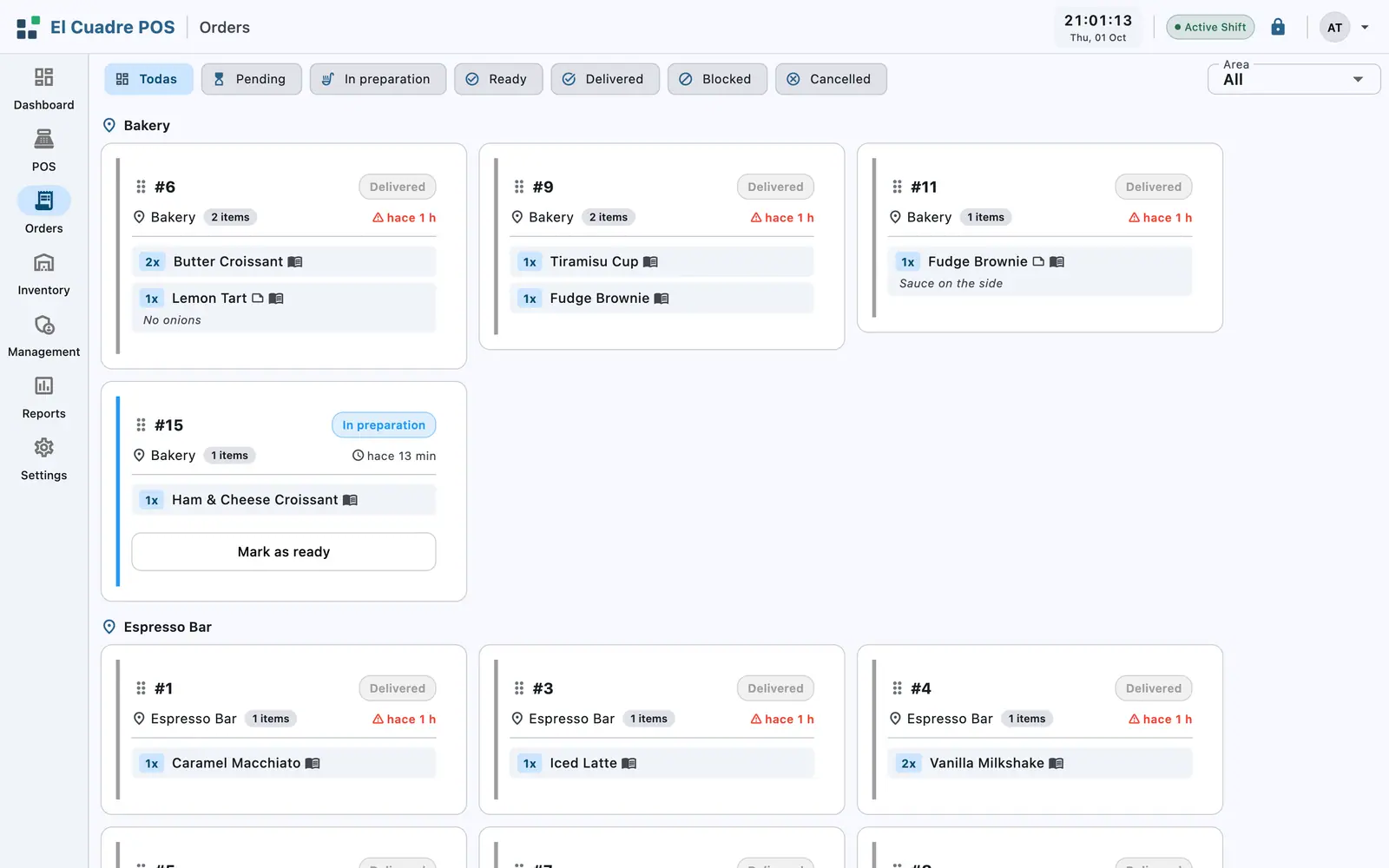
Tables, areas and statuses on one board: pending, preparing, ready and served. Special notes and timings in plain sight, so nothing gets lost.
Decisions backed by data
The day's sales, payment methods, top products and low-stock alerts on one dashboard. The same numbers you close the register with, no export needed.


Why El Cuadre POS
Built for the reality of your business.
Who is El Cuadre POS for?
Designed for a wide variety of businesses.
Frequently asked questions
Everything you need to know before getting started.
Do I need an internet connection to use El Cuadre POS?
No. El Cuadre POS runs entirely on your local network (LAN). Your data stays on your devices, with no dependency on external servers or an internet connection.
Which devices can I run El Cuadre POS on?
El Cuadre POS is available for Windows, macOS, Linux and Android, with an interface optimized for mobile, tablet and desktop. Your data goes with you to any device.
What kind of business is El Cuadre POS for?
Retail stores, restaurants and cafés, warehouses and small businesses in general. It includes point of sale, inventory, customers and suppliers, expenses, returns and reports in a single tool.
Can multiple employees use it at the same time?
Yes. El Cuadre POS is multi-user with roles and permissions to control who can access each feature, and it supports working shifts with register open and close.
Where is my business data stored?
Locally on your devices, in its own database. El Cuadre POS does not send your information to external servers and includes no third-party trackers or analytics.
How does the app get updated?
El Cuadre POS updates itself automatically in the background (Windows) with SHA-256 integrity verification on every update.
Learn about point of sale
Guides to help you understand what you need before choosing a POS system.
Available on every platform
No extra cost. Your data goes with you to any device.
Windows
d4dad0621fe3a48f82a57d9a006394926571f8e89e335317608a5c1d041f950cmacOS
f5f304263cd18632cc80c90c3071d9143f7fb00bf76c6d2c4dd6cf7d57dceff5Linux
86b2b16120a3ee3cc53aa1863fe5c1f8bc5fd14767cf5f7c0486ee4647e8c629Android
dd162c2a1fb9de78c3d14f576b2d4bda605362557ac02ea2e9d1292410c05c25Show release notes
- This release includes general improvements and fixes.